MT4のCAppDialog(パネル)に、サーバー時間・パソコンの時刻・GMT・日付を表示してみます。
記事の後半に、4つをまとめて表示するコピペ用の完成コードも載せています。
MQL4の3つの時刻関数
MQL4には時刻を取得する関数が3つあり、それぞれ返す時刻が違います。
| 関数 | 表示される時刻 | ポイント |
| TimeCurrent | MT4のサーバー時間(チャートの時刻) | 最後にレートを受信した時刻。週末は止まる |
| TimeLocal | パソコンの時計の時刻 | 日本のパソコンなら日本時間 |
| TimeGMT | GMT(グリニッジ標準時) | パソコンの時刻とタイムゾーン設定から計算 |
MT4のサーバー時間が日本時間とずれる理由(GMT+2/+3)は、こちらの記事で解説しています。

MT4の時間がGMTそのものでなく+2時間や+3時間(夏時間)というのはどう言うことでしょうか?
結論としては、NewYo...
関数ごとの細かい注意点は、記事後半の「補足:時刻表示の注意点」にまとめました。
TimeCurrent(サーバー時間)
まずはTimeCurrent()で、MT4のサーバー時間をCAppDialogのラベル(CLabel)に表示します。ポイントは次の3つです。
- TimeToString(…, TIME_SECONDS) で「時:分:秒」の文字列にする
- EventSetTimer(1) で1秒ごとのタイマーを動かす
- OnTimer() でラベルの表示を更新する
|
1 2 3 4 5 6 7 8 9 10 11 12 13 |
... void UpdateTime(){ labelTime.Text("TimeCurrent: " + TimeToString(TimeCurrent(), TIME_SECONDS)); } ... // 1秒ごとに更新 EventSetTimer(1); ... // タイマーイベントで時間更新 void OnTimer(){ TestPanel.UpdateTime(); } ... |
全体のコードは次のとおりです。EAとして(MQL4\Experts フォルダに)保存・コンパイルして、チャートにセットします。
|
1 2 3 4 5 6 7 8 9 10 11 12 13 14 15 16 17 18 19 20 21 22 23 24 25 26 27 28 29 30 31 32 33 34 35 36 37 38 39 40 41 42 43 44 45 46 47 48 49 50 51 52 53 54 55 56 57 58 59 60 61 62 63 64 65 66 67 68 69 70 71 72 73 74 75 |
#include <Controls\Dialog.mqh> #include <Controls\Label.mqh> class CTestPanel : public CAppDialog{ private: CLabel labelTime; public: CTestPanel(void){}; ~CTestPanel(void){}; virtual bool Create(const long chart,const string name,const int subwin,const int x1,const int y1,const int x2,const int y2); void UpdateTime(){ labelTime.Text("TimeCurrent: " + TimeToString(TimeCurrent(), TIME_SECONDS)); } protected: bool CreateLabel(void); }; bool CTestPanel::Create(const long chart,const string name,const int subwin,const int x1,const int y1,const int x2,const int y2){ if(!CAppDialog::Create(chart, name, subwin, x1, y1, x2, y2)){ return(false); } if(!CreateLabel()) return(false); return(true); } bool CTestPanel::CreateLabel(void){ if(!labelTime.Create(m_chart_id, "Label", m_subwin, 25, 26, 145, 46)) return(false); labelTime.Text("TimeCurrent: " + TimeToString(TimeCurrent(), TIME_SECONDS)); labelTime.Color(clrBlue); if(!Add(labelTime)) return(false); return(true); } CTestPanel TestPanel; int OnInit(){ // Create TestPanel if(!TestPanel.Create( ChartID(), "TestPanel", 0, 160, 40, 400, 210 )){ return(INIT_FAILED); } EventSetTimer(1); // Run TestPanel TestPanel.Run(); return(INIT_SUCCEEDED); } void OnDeinit(const int reason){ EventKillTimer(); TestPanel.Destroy(reason); } void OnTimer(){ TestPanel.UpdateTime(); } // Get the object event void OnChartEvent(const int id, const long &lparam, const double &dparam, const string &sparam){ TestPanel.ChartEvent(id, lparam, dparam, sparam); } |
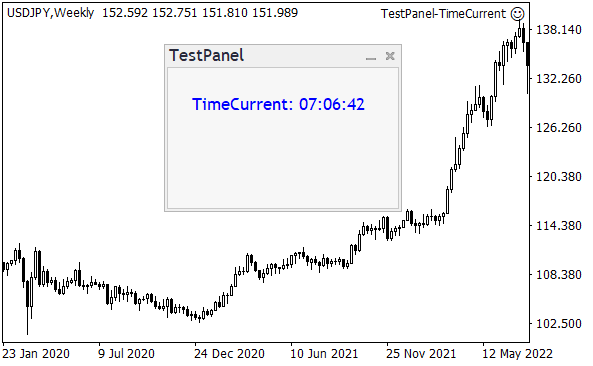
パネルにサーバー時間が表示されました。
TimeLocal(パソコンの時刻)
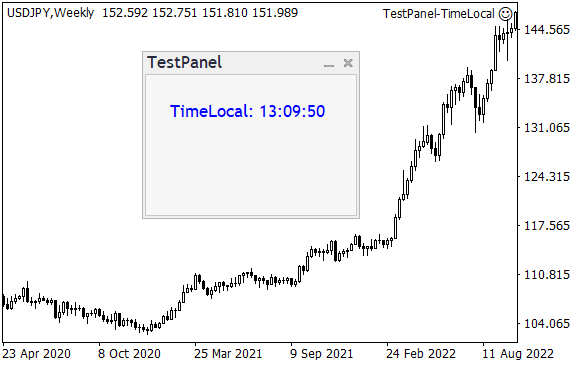
上のコードのTimeCurrent()をTimeLocal()に置き換えると、パソコンの時計の時刻が表示されます。日本のパソコンなら日本時間です。
|
1 |
labelTime.Text("TimeLocal: " + TimeToString(TimeLocal(), TIME_SECONDS)); |
TimeGMT(GMT)
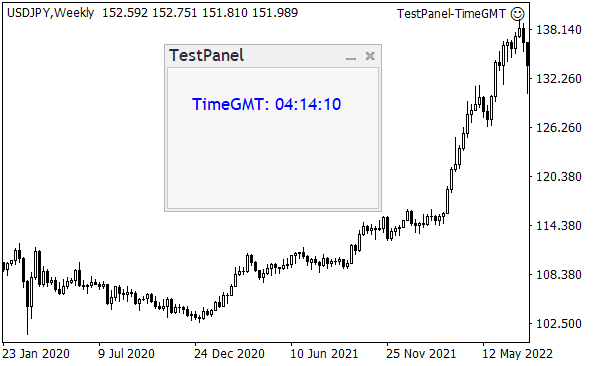
TimeGMT()に置き換えると、GMT(グリニッジ標準時)が表示されます。日本時間より9時間遅い時刻です。
|
1 |
labelTime.Text("TimeGMT: " + TimeToString(TimeGMT(), TIME_SECONDS)); |
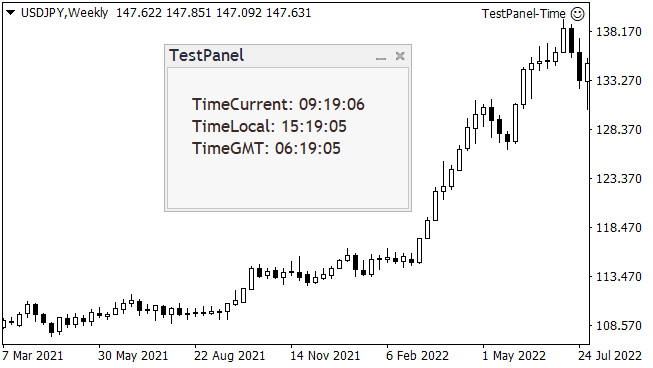
3つを並べて表示すると、次のようになります。
日付を追加する(完成コード)
日付は、TimeToString()の書式を TIME_DATE にすると「2025.03.15」のような形で取得できます。
|
1 |
labelDate.Text("Date: " + TimeToString(TimeCurrent(), TIME_DATE)); |
日付用のラベル(labelDate)を追加して、3つの時刻とあわせて表示する完成コードです。ラベルの作成は共通の関数(CreateLabel)にまとめています。
|
1 2 3 4 5 6 7 8 9 10 11 12 13 14 15 16 17 18 19 20 21 22 23 24 25 26 27 28 29 30 31 32 33 34 35 36 37 38 39 40 41 42 43 44 45 46 47 48 49 50 51 52 53 54 55 56 57 58 59 60 61 62 63 64 65 66 67 68 69 70 71 72 73 74 75 76 77 78 79 80 81 82 83 84 85 86 87 88 89 |
#include <Controls\Dialog.mqh> #include <Controls\Label.mqh> class CTestPanel : public CAppDialog{ private: CLabel labelDate; CLabel labelCurrent; CLabel labelLocal; CLabel labelGMT; public: CTestPanel(void){}; ~CTestPanel(void){}; virtual bool Create(const long chart,const string name,const int subwin,const int x1,const int y1,const int x2,const int y2); void UpdateTime(void); protected: bool CreateLabel(CLabel &label,const string name,const int y); }; bool CTestPanel::Create(const long chart,const string name,const int subwin,const int x1,const int y1,const int x2,const int y2){ if(!CAppDialog::Create(chart, name, subwin, x1, y1, x2, y2)){ return(false); } // ラベルを4つ作成(縦に25pxずつずらす) if(!CreateLabel(labelDate, "LabelDate", 10)) return(false); if(!CreateLabel(labelCurrent, "LabelCurrent", 35)) return(false); if(!CreateLabel(labelLocal, "LabelLocal", 60)) return(false); if(!CreateLabel(labelGMT, "LabelGMT", 85)) return(false); UpdateTime(); return(true); } bool CTestPanel::CreateLabel(CLabel &label,const string name,const int y){ if(!label.Create(m_chart_id, m_name + name, m_subwin, 20, y, 220, y + 20)) return(false); label.Color(clrBlue); if(!Add(label)) return(false); return(true); } void CTestPanel::UpdateTime(void){ labelDate.Text("Date: " + TimeToString(TimeCurrent(), TIME_DATE)); labelCurrent.Text("TimeCurrent: " + TimeToString(TimeCurrent(), TIME_SECONDS)); labelLocal.Text("TimeLocal: " + TimeToString(TimeLocal(), TIME_SECONDS)); labelGMT.Text("TimeGMT: " + TimeToString(TimeGMT(), TIME_SECONDS)); } CTestPanel TestPanel; int OnInit(){ // Create TestPanel if(!TestPanel.Create( ChartID(), "TestPanel", 0, 160, 40, 400, 210 )){ return(INIT_FAILED); } // 1秒ごとに更新 EventSetTimer(1); // Run TestPanel TestPanel.Run(); return(INIT_SUCCEEDED); } void OnDeinit(const int reason){ EventKillTimer(); TestPanel.Destroy(reason); } void OnTimer(){ TestPanel.UpdateTime(); } // Get the object event void OnChartEvent(const int id, const long &lparam, const double &dparam, const string &sparam){ TestPanel.ChartEvent(id, lparam, dparam, sparam); } |
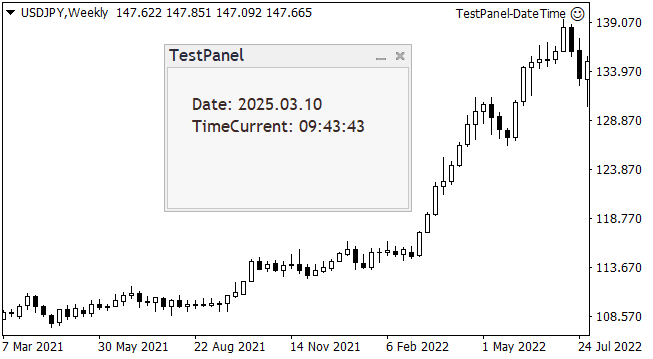
日付と時刻がパネルに表示されました。
補足:時刻表示の注意点
- TimeCurrentは「最後にレートを受信した時刻」:サーバー時間ですが、正確には気配値表示の銘柄で最後にティックを受け取った時刻です。週末やレートが動かない時間は止まるので、1秒ごとに更新しても秒が進まないことがあります。
- サーバー時間はブローカーによって違う:多くの業者はNYクローズ(NY17:00)を日足の区切りにしたGMT+2(米国夏時間中はGMT+3)ですが、業者によって異なります。
- TimeLocal・TimeGMTはパソコンの設定しだい:どちらもパソコンの時計とタイムゾーン設定をもとにしているため、パソコンの時計がずれていると表示もずれます。
- 日付を日本の日付で出したいとき:TimeCurrentの日付はサーバー時間基準なので、日本時間の早朝は1日前の日付になります。日本の日付にしたい場合はTimeLocal()を使います。
- ストラテジーテスターでは時刻が再現値になる:テスター内のTimeCurrentは過去データに沿ってシミュレートされ、TimeGMTもTimeCurrentと同じ値になります。
- TimeToStringの書式:TIME_DATE=yyyy.mm.dd、TIME_MINUTES=hh:mi、TIME_SECONDS=hh:mi:ss。「TIME_DATE|TIME_SECONDS」のように組み合わせると日付と時刻を1行で表示できます。